Sheet Table
Google Sheets → live tables on your EmDash site.
Turn any Google Sheet into a searchable, sortable, paginated table. Edit the sheet, and the table on your site follows — no copy-pasting data, no HTML tables to maintain, no redeploy.
npm install emdash-plugin-sheet-table From sheet to site in 22 seconds.
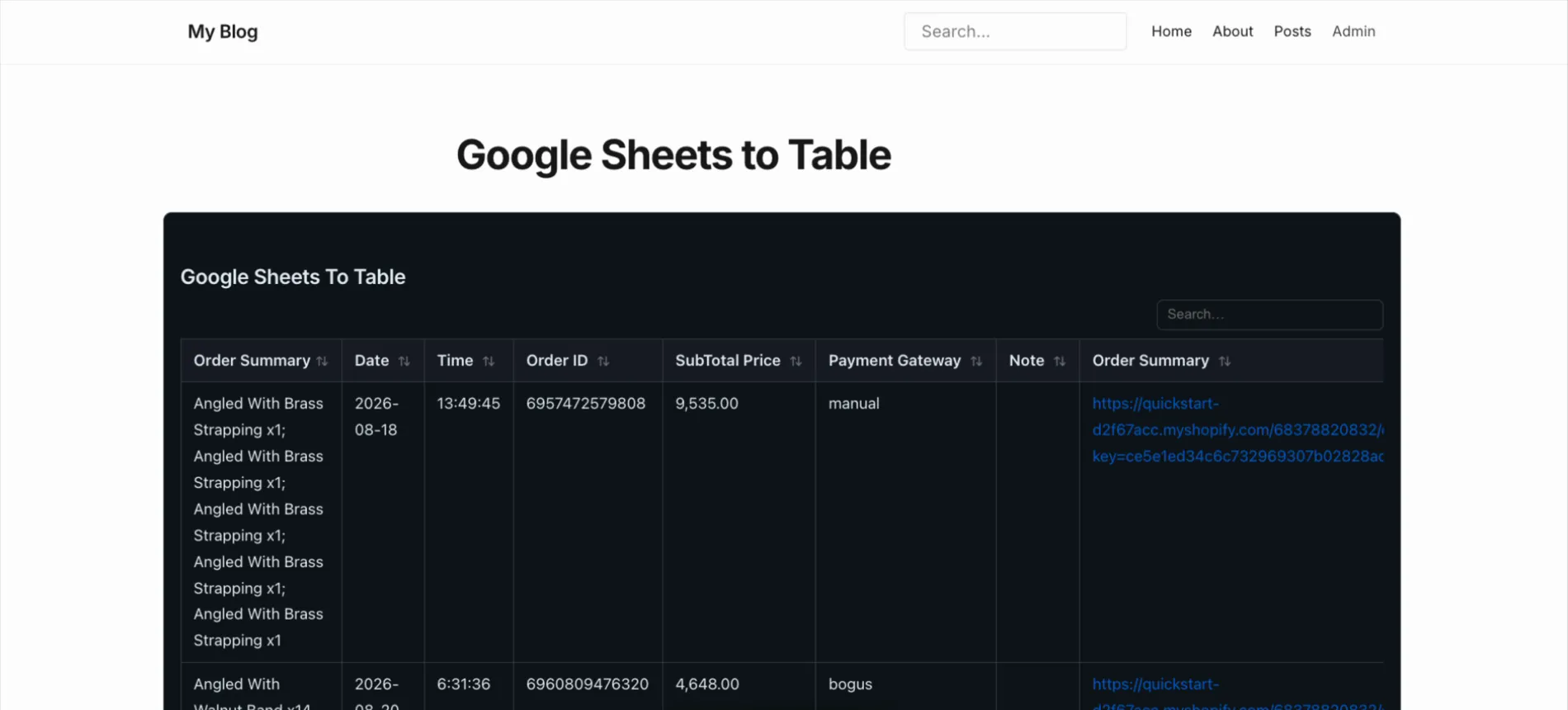
This is what your visitors get.
Search across every column, click a header to sort — Seats and Price sort as numbers, not text — and page through. Sample data, same behaviour as the plugin’s table.
| Starter | 1 | $9 | 10 GB | |
| Team | 5 | $29 | 100 GB | |
| Studio | 15 | $79 | 500 GB | Chat |
| Business | 50 | $199 | 2 TB | Chat |
| Agency | 120 | $449 | 5 TB | Phone |
| Nonprofit | 25 | $19 | 250 GB | |
| Education | 200 | $99 | 1 TB | Chat |
| Enterprise | 1000 | $1200 | 20 TB | Dedicated |
Your team already keeps the data in a sheet.
Price lists, schedules, specs, directories, results. Sheet Table makes that sheet the single source of truth for your site — anyone on the team can update it, right from the spreadsheet they already use.
Price lists & plan comparisons
Marketing edits the sheet. The pricing page follows. Nobody files a ticket.
Event schedules & timetables
The data that changes every week, kept where the team already changes it.
Product catalogs & spec sheets
Image URLs in a column render as images, links as links.
Staff & member directories
Visitors search every column at once and find the person in a keystroke.
Results, rankings & leaderboards
Kept current from one shared sheet, sorted numerically, not alphabetically.
Inventory & availability
Managed by non-technical teammates without access to the CMS.
Everything in the free version.
Live sync with Google Sheets
Connect once. A background task re-reads the sheet on your schedule and caches the result.
Private sheets, too
Connect a Google account with read-only access and pick any spreadsheet and tab you can see.
Table builder with live preview
Five guided steps, with a desktop and phone preview drawn by the same code your visitors get.
9 themes, plus your own
From Simple to Dark knight. Change any color per table, or save your own theme and reuse it.
Your sheet’s own look
Import cell colors, bold, italic, font size and alignment from the sheet. Merged cells stay merged.
CSV, Excel, PDF export
Optional buttons for CSV, Excel, PDF, JSON, Print and Copy. The export code loads only on first click.
Sticky header & frozen columns
Keep the header and the first or last columns in view. Wide tables can be dragged sideways.
Hide rows, columns & cells
Hide a column on phones or on desktop. Hidden rows and cells are removed before they reach the page.
Search, sort, paginate
Every column searchable, numbers sort as numbers, a default sort on load, and five pagination styles.
Tab groups
Several tables in one place, switched like sheet tabs. Tabs above or below, in any order.
Insert from the editor
Type / and add a Sheet Table or Sheet Table Tabs block. Pick the table from a dropdown.
Responsive by default
Default, Collapsible (rows become cards on phones) or Scrollable, at content, wide or full width.
Server-render or load async
SSR for no-JS and search engines, or async for the fastest first paint.
Custom CSS per table
Fine-tune one table or the whole page. It shows in the live preview as you type.
Built for EmDash
Uses EmDash’s own storage, settings, cron and editor blocks, and follows the admin’s light/dark theme.
Set up a table in five steps, with a live preview.
Data source, theme, customization, hiding, advanced. Every step shows the table exactly as visitors will see it, on desktop or on a phone, before you save.
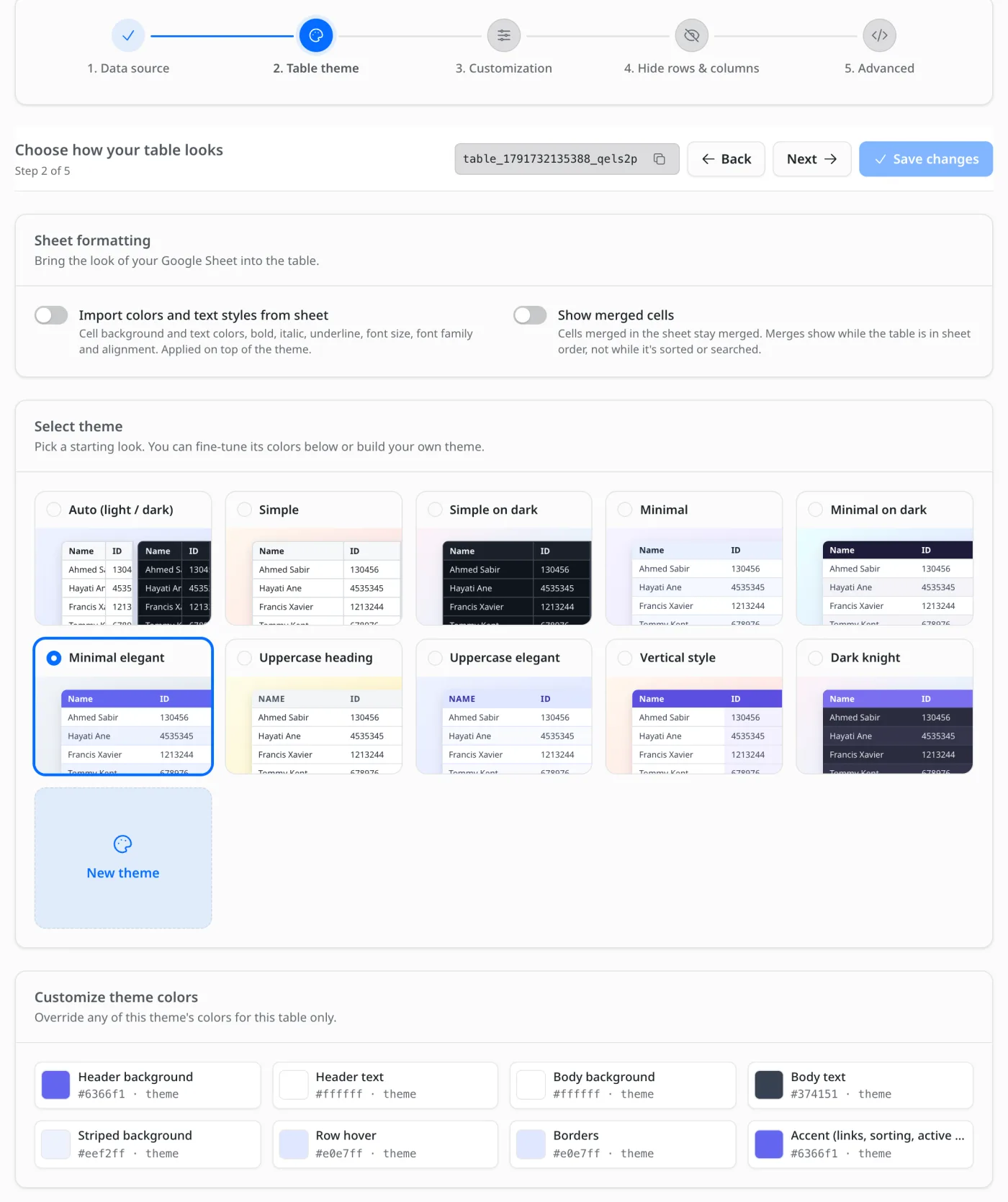
Nine themes, plus your own.
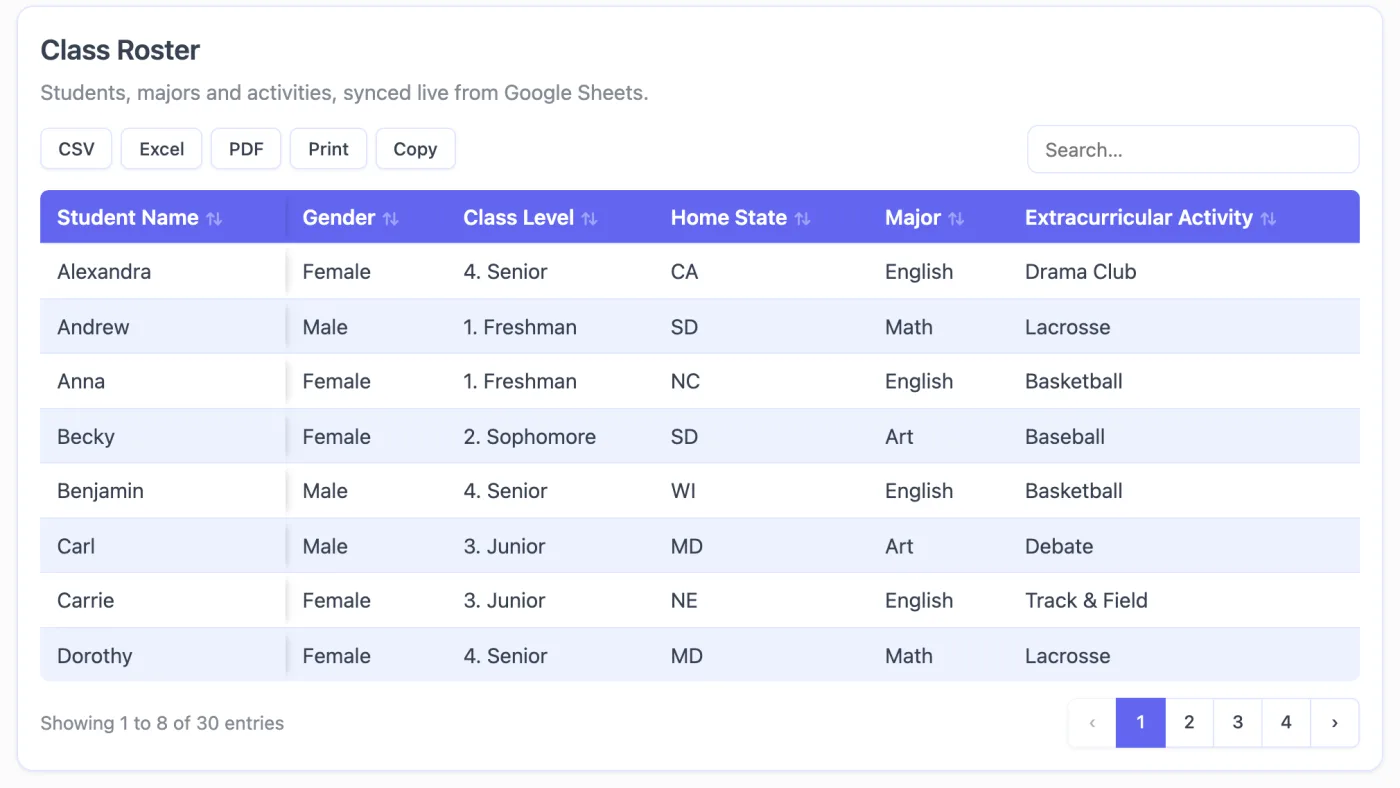
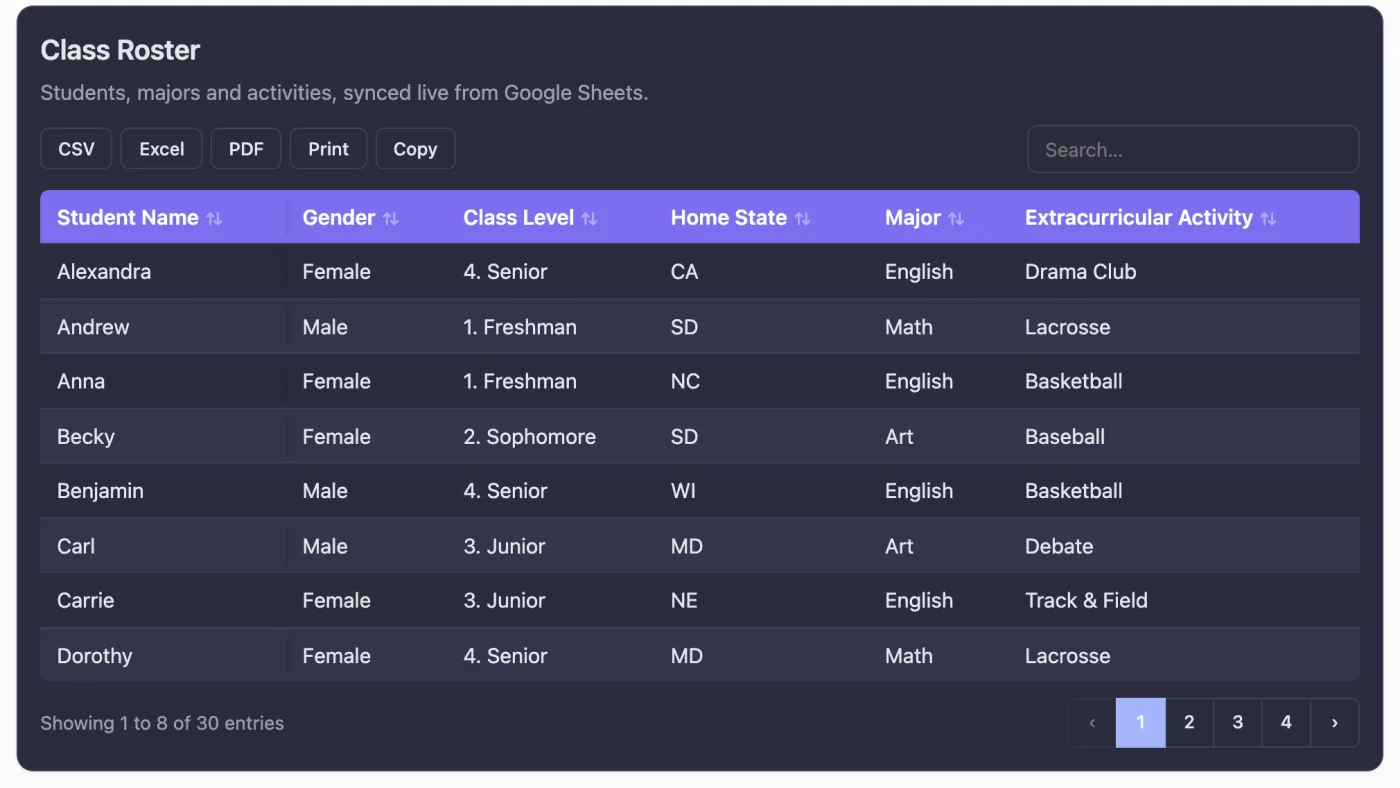
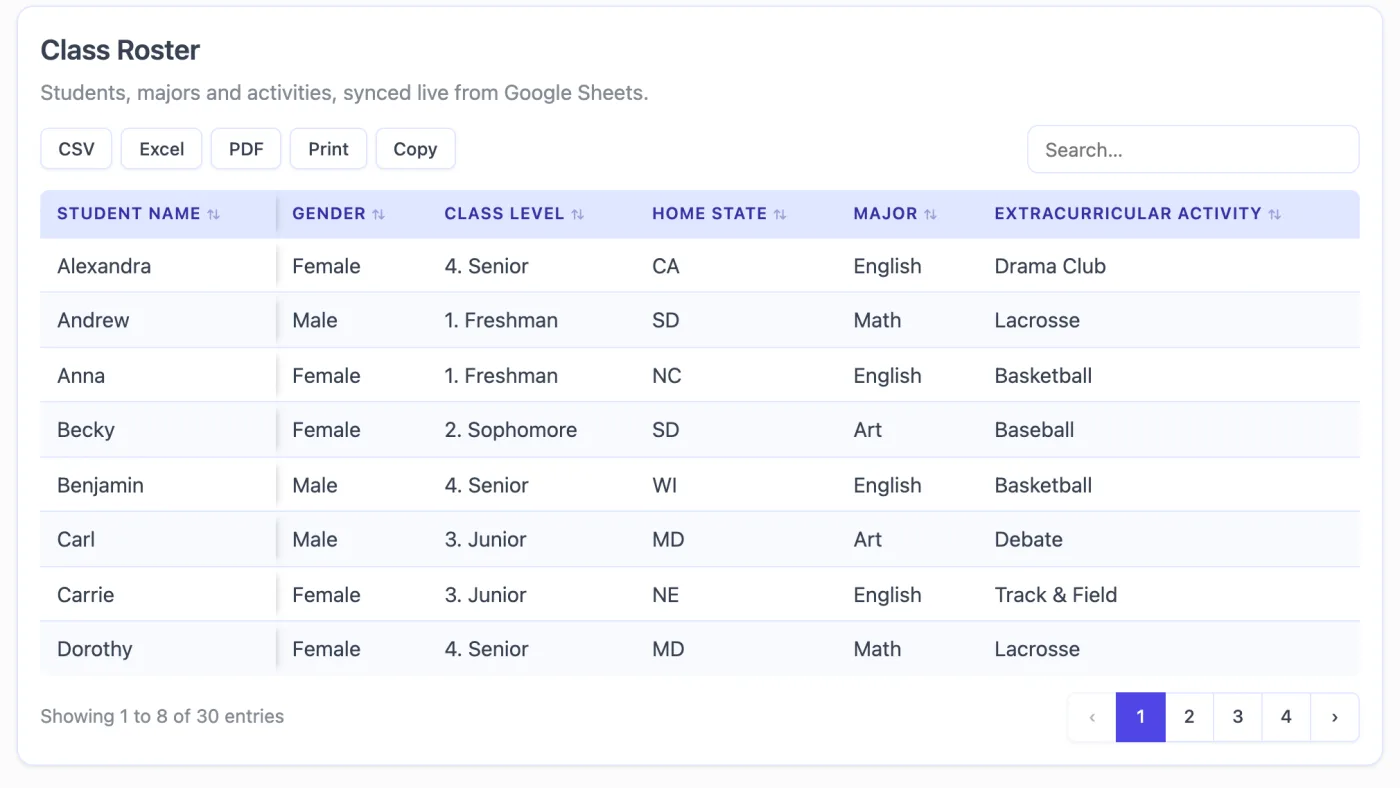
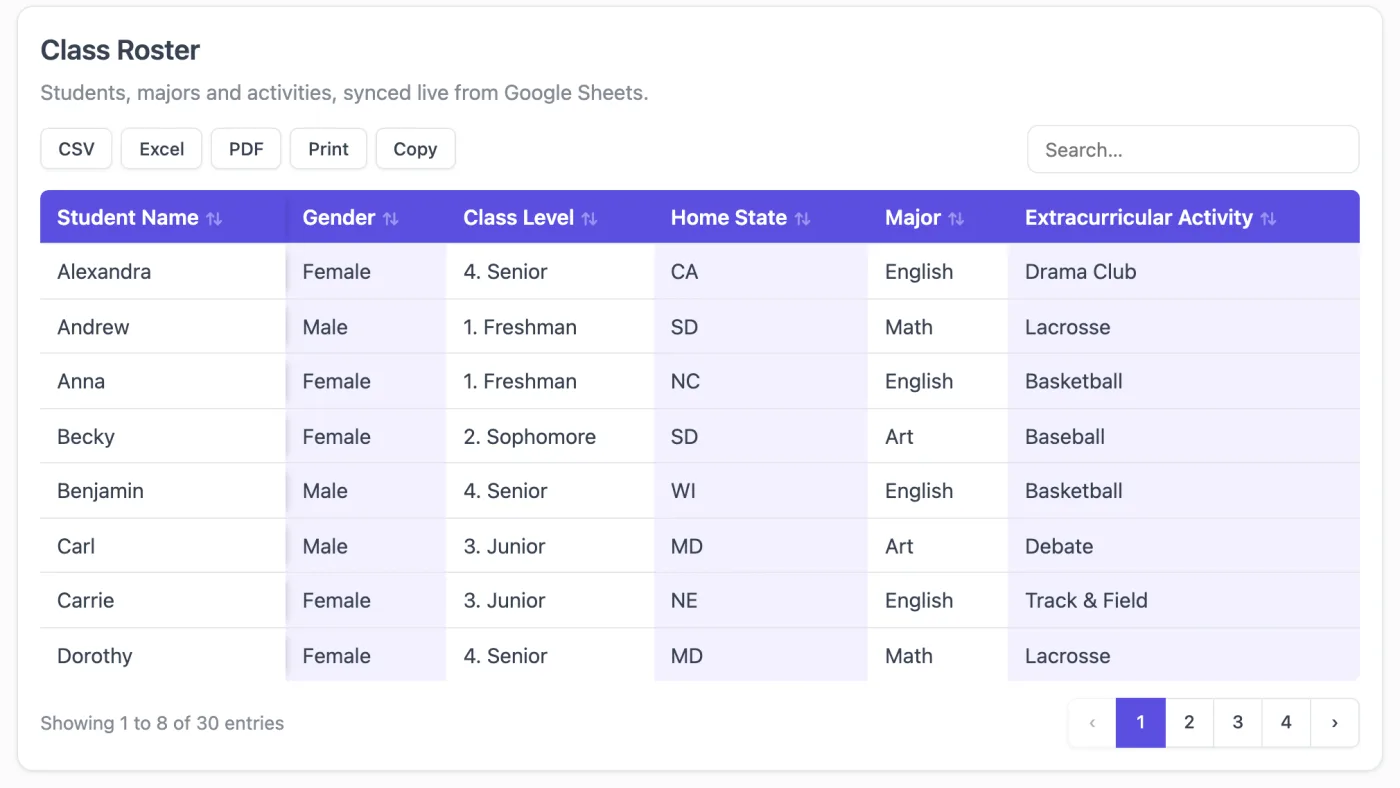
Add a Google Sheet table to EmDash in three steps.
-
Install the package
npm install emdash-plugin-sheet-table -
Register it in astro.config.mjs
import { defineConfig } from "astro/config"; import emdash from "emdash/astro"; import { sheetTablePlugin } from "emdash-plugin-sheet-table"; export default defineConfig({ integrations: [ emdash({ plugins: [sheetTablePlugin()], }), ], }); -
Restart and add a table
Sheet Table appears in the admin sidebar under Plugins. Click New table, paste a link to a sheet shared as “Anyone with the link can view”, pick the tab, and click Create table & continue. Choose a theme and features with the live preview, then type / in any post and insert Sheet Table.
Private sheets need a Google Cloud OAuth client and an EMDASH_ENCRYPTION_KEY. The full walkthrough is in the README ↗.
The engineering under the table.
The same problem I work on every day in FlexSync — keeping a website honest about what’s in a Google Sheet — shrunk down to a plugin anyone can install.
- SourceGoogle Sheetpublic CSV or Sheets API
- Every 15 minCron sweeponly stale tables re-read
- StoredSnapshot in EmDashrows + headers + source key
- ServedYour pageSSR or async, no Google call
Visitors never talk to Google
The server reads the sheet and writes a snapshot to EmDash’s key-value store. Every page view is served from that snapshot. Google’s quota, latency, and credentials stay entirely on the server side — a traffic spike on your site is not a traffic spike on Google’s API.
Stale is fine. Wrong is not.
If Google is briefly unreachable, the table keeps serving its last good copy. But each snapshot is stamped with the sheet and tab it came from — point a table at a different sheet and the read fails, and the old rows are dropped rather than shown under the new table’s name. A visitor should never see another sheet’s data.
Private sheets without storing a password
Google OAuth with read-only Sheets and Drive scopes. Only an encrypted refresh token is kept, through EmDash’s secret settings; short-lived access tokens are minted when a sync needs one. Disconnect revokes the grant with Google, not just locally.
Limits that are said out loud
A snapshot keeps at most 10,000 rows — enough for real sheets, small enough that no visitor’s tab runs out of memory. When a sheet is larger, the table says how many rows exist instead of quietly hiding the rest.
Sheet Table Pro
Everything on this page is free. A Pro version is planned for sites that need more tables or hands-on help. Tell me what your site needs; the first people to ask shape what ships.
- Unlimited tables (the free version has 10)
- Priority support
- Hands-on help connecting private sheets
- Custom features for your site
Frequently asked.
Do I need a Google account or API key?
Not for public sheets. Share the sheet as "Anyone with the link can view" and paste the link. You only need a Google Cloud OAuth client to show private sheets.
How quickly do changes in Google Sheets show up?
When the table’s cache duration runs out — you choose it per table — or immediately when you click Sync now. A background task checks every 15 minutes.
How many tables can I create?
Up to 10 in the free version, and each one can be placed on any number of pages. Tab groups are unlimited.
Will it slow down my site?
No. Pages are served from a cached copy stored in EmDash, not fetched from Google on each visit. Turn on Load asynchronously for the fastest first paint.
Is data from a private sheet kept private?
Only until you place it on a page. Once a table is published, every row and column of that tab reaches the visitor’s browser. Only use tabs whose data is fine to publish.
How is this different from embedding a Google Sheet?
Google’s “Publish to web” embed is an iframe in Google’s own style, with no search, sorting or export, and its rows aren’t part of your page. Sheet Table renders a real table in your site’s design, server-rendered so search engines see it, and keeps it in sync with the sheet.
Can visitors download the table?
Yes, if you turn on export buttons. Visitors can download CSV, Excel or PDF, get JSON, print, or copy the table. Exports include every page of what they searched and sorted.
Can I match the table to my site’s design?
Pick one of 9 themes, change any of its colors for one table, or build and save your own theme. You can also import the sheet’s own colors and fonts, and add custom CSS per table.
Can I hide rows or columns from visitors?
Yes. Hide columns on phones, on desktop or both, and hide whole rows or single cells. Hidden rows and cells, and columns hidden on both, are removed on the server, so they are not in the page source or exports.
Do I need to know how to code?
Only to install it: one npm command and one line in your Astro config. Everything else happens in the EmDash admin.
Does it collect any data?
No. It sends no telemetry and no analytics. It only contacts Google, and only for the features you use.
Put your sheet on your site.
npm install emdash-plugin-sheet-table